
Installation
Xiajiao runs on mainstream desktop OSes. The only prerequisite is Node.js >= 22.0.0.
Windows
1. Install Node.js
Option A: Official installer (easiest)
Download the LTS build (>= 22) from nodejs.org, run the installer, use defaults.
Ensure Add to PATH stays checked.
Option B: winget
winget install OpenJS.NodeJS.LTSOption C: nvm-windows (multiple versions)
Install from nvm-windows releases, then:
nvm install 22
nvm use 22
2. Verify
node -v   # expect v22.x.x or newer
npm -v    # expect 10.x.x or newer
3. Install Xiajiao
With Git:
git clone https://github.com/moziio/xiajiao.git
cd xiajiao
npm install
npm start
No Git? Download ZIP:
- Open the GitHub repo
- Green Code → Download ZIP
- Extract anywhere
- In that folder, run
npm install && npm start
Windows Firewall
The first run may prompt for firewall access—allow it so Node can listen on a port.
macOS
1. Install Node.js
Option A: Homebrew (recommended)
# install Homebrew if needed
/bin/bash -c "$(curl -fsSL https://raw.githubusercontent.com/Homebrew/install/HEAD/install.sh)"

brew install node@22
Option B: nvm
curl -o- https://raw.githubusercontent.com/nvm-sh/nvm/v0.40.0/install.sh | bash
source ~/.zshrc   # or source ~/.bashrc
nvm install 22
nvm use 22
Option C: Official installer
Download the macOS .pkg from nodejs.org.
2. Install Xiajiao
git clone https://github.com/moziio/xiajiao.git
cd xiajiao && npm install
npm start
Linux
Ubuntu / Debian
curl -fsSL https://deb.nodesource.com/setup_22.x | sudo -E bash -
sudo apt-get install -y nodejs

node -v

git clone https://github.com/moziio/xiajiao.git
cd xiajiao && npm install
npm start
CentOS / RHEL / Fedora
curl -fsSL https://rpm.nodesource.com/setup_22.x | sudo bash -
sudo yum install -y nodejs

git clone https://github.com/moziio/xiajiao.git
cd xiajiao && npm install
npm start
Arch Linux
sudo pacman -S nodejs npm

git clone https://github.com/moziio/xiajiao.git
cd xiajiao && npm install
npm start
nvm (any distro)
curl -o- https://raw.githubusercontent.com/nvm-sh/nvm/v0.40.0/install.sh | bash
source ~/.bashrc
nvm install 22
nvm use 22

git clone https://github.com/moziio/xiajiao.git
cd xiajiao && npm install
npm start
Docker
For containerized deploy:
git clone https://github.com/moziio/xiajiao.git
cd xiajiao
docker build -t xiajiao .
docker run -d -p 18800:18800 \
  -v xiajiao-data:/app/data \
  -v xiajiao-uploads:/app/public/uploads \
  --name xiajiao xiajiao
Details: Docker deployment.
Environment variables
| Variable | Purpose | Default | When to change |
|---|---|---|---|
IM_PORT | HTTP port | 18800 | Port conflict |
OWNER_KEY | Admin password | admin | Always in production |
LLM_MODE | LLM mode | direct | Rarely |
Per platform:
IM_PORT=3000 OWNER_KEY=my-secret npm startset IM_PORT=3000
set OWNER_KEY=my-secret
node server/index.js$env:IM_PORT = "3000"
$env:OWNER_KEY = "my-secret"
node server/index.jsData on disk
Everything lives under the project folder—no external database:
xiajiao/
├── data/
│   ├── xiajiao.db              # messages, channels, users
│   ├── agents.json        # agent list
│   ├── workspace-xxx/     # per-agent workspace
│   │   ├── SOUL.md
│   │   ├── memory.db
│   │   └── rag/
│   └── _soul-templates/
└── public/uploads/        # uploads
Back up data/ and public/uploads/.
Verify install
After npm start, open http://localhost:18800:
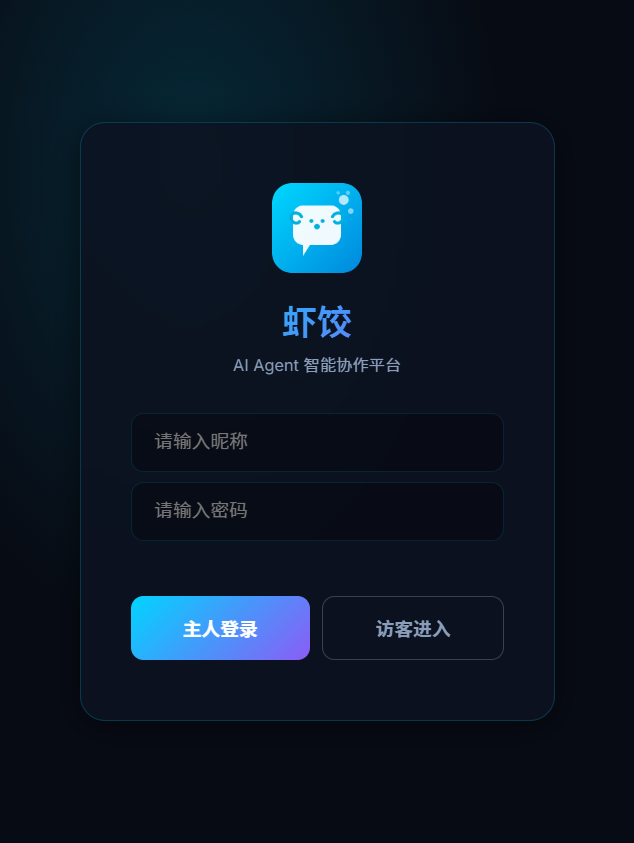
- Login page appears
- Log in with default
admin - Settings → Model management — add an API key
- Return home and chat with an agent
- You get AI replies
Troubleshooting
npm install fails
Symptom: gyp ERR! or native compile errors
Cause: native addon build failed
Fix:
# Linux
sudo apt install python3 make g++

# macOS (Xcode CLI tools)
xcode-select --install

# Windows
npm install --global windows-build-tools
npm start syntax error
Symptom: SyntaxError: Unexpected token
Cause: Node too old
Fix: upgrade to Node.js 22+
node -vPort in use
Symptom: Error: listen EADDRINUSE :::18800
Fix:
IM_PORT=3000 npm startNot reachable from outside
Cause: firewall
# Linux example
sudo ufw allow 18800
On cloud VMs, open the port in the security group too.
Corporate proxy
npm config set proxy http://proxy.company.com:8080
npm config set https-proxy http://proxy.company.com:8080

git config --global http.proxy http://proxy.company.com:8080

# after install, optional cleanup
npm config delete proxy
npm config delete https-proxy
WSL2
wsl --version

curl -o- https://raw.githubusercontent.com/nvm-sh/nvm/v0.40.0/install.sh | bash
source ~/.bashrc
nvm install 22

git clone https://github.com/moziio/xiajiao.git
cd xiajiao && npm install && npm start
From Windows, use http://localhost:18800 (WSL2 forwards ports).
Offline install
On a machine with network:
git clone https://github.com/moziio/xiajiao.git
cd xiajiao && npm install
tar czf xiajiao-offline.tar.gz .
On the target:
tar xzf xiajiao-offline.tar.gz
npm start
WARNING
The target still needs Node.js 22+. Bundle a Node binary if the machine is fully offline.
Post-install checklist
✅ node -v → v22.x or newer
✅ npm start → no errors
✅ Browser http://localhost:18800 → login page
✅ Login with admin works
✅ Settings → Model management → at least one provider
✅ Create or use agent → message → AI reply
✅ data/ exists with xiajiao.db
Related docs
- Quick start — models and first chat
- Model configuration — provider setup
- Local deployment — daemon, autostart, backup
- Docker deployment
- Multi-agent chat
- Troubleshooting