
Local run
The simplest path—great for personal use and development.
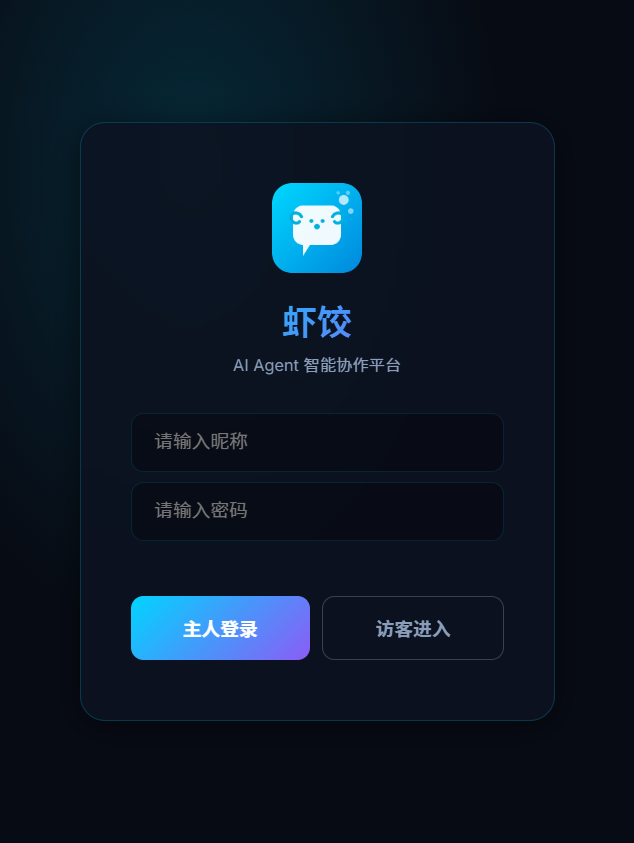
After start, open http://localhost:18800 to see the login page.
Quick start (three commands)
git clone https://github.com/moziio/xiajiao.git
cd xiajiao && npm install
npm start
Open http://localhost:18800. Default admin password: admin.
Install speed
Six npm dependencies—npm install usually finishes in 5–10 seconds.
Environment variables
| Variable | Purpose | Default | Required in prod? |
|---|---|---|---|
IM_PORT | HTTP port | 18800 | No |
OWNER_KEY | Admin login password | admin | Change in production |
LLM_MODE | LLM mode | direct | No |
How to set
Linux / macOS
IM_PORT=3000 OWNER_KEY=my-secret npm startWindows CMD
set IM_PORT=3000
set OWNER_KEY=my-secret
node server/index.js
Windows PowerShell
$env:IM_PORT = "3000"
$env:OWNER_KEY = "my-secret"
node server/index.js
Change the default password
admin is for local dev only. On LAN or the public internet, set a strong OWNER_KEY.
First login and setup
1. Log in
Open http://localhost:18800 and enter the admin password (default admin).
2. Configure LLM
After login, add a model under Settings:
Settings → LLM configuration| Provider | Example API base | Notes |
|---|---|---|
| OpenAI | https://api.openai.com/v1 | Needs API key |
| Anthropic | https://api.anthropic.com | Needs API key |
| Qwen (DashScope) | https://dashscope.aliyuncs.com/compatible-mode/v1 | Alibaba key |
| Ollama | http://localhost:11434/v1 | Local, no key |
| OpenRouter | https://openrouter.ai/api/v1 | Aggregator |
Ollama locally
Free option: run Llama 3, Qwen 2, etc. via Ollama. Base URL http://localhost:11434/v1, no API key.
3. Chat
Pick an Agent in Contacts (e.g. Code assistant) and send a message.
Run in the background
Option 1: nohup
nohup npm start > xiajiao.log 2>&1 &
echo $!   # save PID
Stop:
kill <PID>Option 2: PM2 (recommended)
npm install -g pm2
pm2 start server/index.js --name xiajiao
pm2 save
pm2 startup

pm2 status
pm2 logs xiajiao
pm2 restart xiajiao
pm2 stop xiajiao
Option 3: systemd (Linux)
Create /etc/systemd/system/xiajiao.service:
[Unit]
Description=Xiajiao IM
After=network.target

[Service]
Type=simple
User=your-user
WorkingDirectory=/path/to/xiajiao
ExecStart=/usr/bin/node server/index.js
Restart=on-failure
RestartSec=5
Environment=OWNER_KEY=your-secret

[Install]
WantedBy=multi-user.targetsudo systemctl daemon-reload
sudo systemctl enable xiajiao
sudo systemctl start xiajiao
sudo systemctl status xiajiaoOption 4: Windows batch
start-xiajiao.bat:
@echo off
title Xiajiao IM
cd /d "C:\path\to\xiajiao"
set OWNER_KEY=your-secret
node server/index.js
pause
Double-click or add to Startup.
Data layout
All state lives under data/ and public/uploads/:
xiajiao/
├── data/
│   ├── xiajiao.db              # Messages, channels, Agent config
│   ├── agents.json
│   ├── workspace-xxx/
│   │   ├── SOUL.md
│   │   ├── memory.db
│   │   └── rag/
│   └── _soul-templates/
├── public/uploads/
└── ...
Backup
tar czf xiajiao-backup-$(date +%Y%m%d).tar.gz data/ public/uploads/
tar xzf xiajiao-backup-20260319.tar.gz
Cron backup
0 3 * * * cd /opt/xiajiao && tar czf /backups/xiajiao-$(date +\%Y\%m\%d).tar.gz data/ public/uploads/Common issues
Port in use
Error: listen EADDRINUSE :::18800Use another port: IM_PORT=3000 npm start
Node too old
SyntaxError: Unexpected tokenRequires Node.js 22+. Check node -v.
SQLITE_BUSY
Another process is locking data/xiajiao.db.
Windows npm install fails
Install build tools:
npm install --global windows-build-toolsPrebuilt binaries usually install without this.
LAN access
By default the server listens on 0.0.0.0:18800. Other devices: http://YOUR_IP:18800.
# IP
ip addr | grep "inet "    # Linux/macOS
ipconfig                    # Windows
Open the port in the firewall.
Windows autostart
Task Scheduler — trigger at startup; program node, args server/index.js, start in project folder.
Startup folder — shortcut to start-xiajiao.bat inC:\Users\<you>\AppData\Roaming\Microsoft\Windows\Start Menu\Programs\Startup
macOS background — launchd
~/Library/LaunchAgents/com.xiajiao.plist:
<?xml version="1.0" encoding="UTF-8"?>
<!DOCTYPE plist PUBLIC "-//Apple//DTD PLIST 1.0//EN" "http://www.apple.com/DTDs/PropertyList-1.0.dtd">
<plist version="1.0">
<dict>
  <key>Label</key>
  <string>com.xiajiao</string>
  <key>ProgramArguments</key>
  <array>
    <string>/usr/local/bin/node</string>
    <string>/path/to/xiajiao/server/index.js</string>
  </array>
  <key>RunAtLoad</key>
  <true/>
  <key>KeepAlive</key>
  <true/>
  <key>WorkingDirectory</key>
  <string>/path/to/xiajiao</string>
  <key>EnvironmentVariables</key>
  <dict>
    <key>OWNER_KEY</key>
    <string>your-secret</string>
  </dict>
</dict>
</plist>launchctl load ~/Library/LaunchAgents/com.xiajiao.plistUpgrade
cd xiajiao
git pull
npm install
pm2 restart xiajiao          # or systemctl restart xiajiao
data/ is untouched by git pull.